

Adding the macro to a page
1
Open the macro browser
While editing a page, type
/ or click the + in the editing toolbar.2
Find and select the macro
Search for “Swagger” and select Better Swagger UI: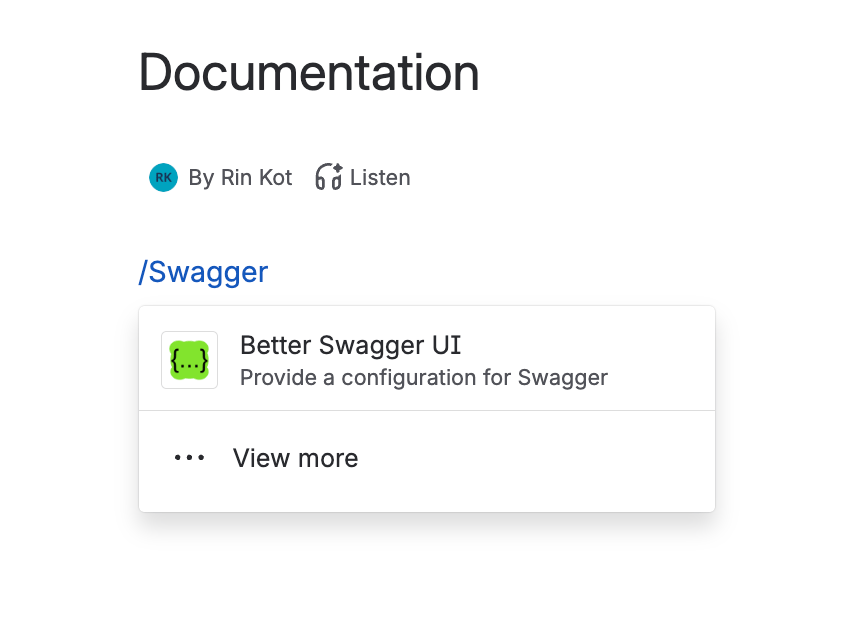
3
Set up the macro
Fill in the config form — see Configuration for every field.
4
Save
Click Save on the macro, then save the page to make the rendered documentation visible to viewers. Here’s how the macro looks once published: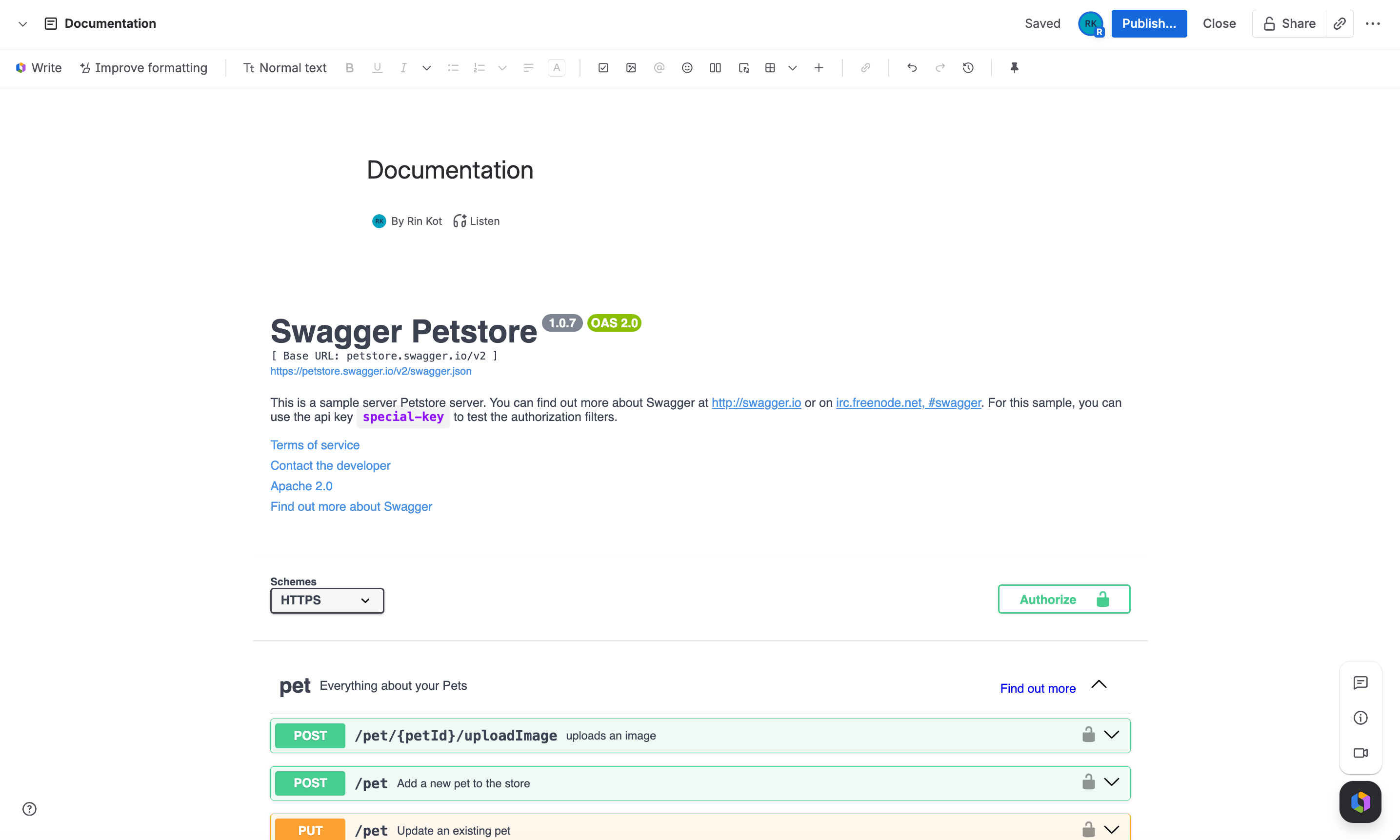
Keeping it updated
How the macro stays current depends on what you pointed it at:- URL — fetched live every time someone views the page, so changes to the underlying spec show up automatically. There’s nothing to republish.
- Content (pasted JSON/YAML) — stored as a static snapshot in the macro’s configuration. It only changes when you reopen the macro and paste in the updated content.
Licensing
The app uses Confluence’s built-in Marketplace licensing. If a site doesn’t have an active license or trial, every instance of the macro shows a license warning instead of rendering.Tips
Spec isn't publicly reachable
Spec isn't publicly reachable
Use Content instead of URL and paste the OpenAPI or Swagger document directly into the config.
Macro feels cramped
Macro feels cramped
Confluence pages default to a fixed width. Use the page options menu to switch the page to Go wide or Go full width instead of changing the macro’s own settings.
Read-only audience
Read-only audience
Deselect all options in Supported Submit Methods to disable Try it out for every operation and present a reference-only view.
Authenticated APIs
Authenticated APIs
Set Authorization to Basic or Api Key so Swagger UI pre-fills credentials for Try it out requests instead of asking each viewer to authorize manually.